
The future of Creator Management
The agency CRM for OnlyFans, Fansly, ManyVids and LoyalFans
Run every creator, chatter, shift and payout from one dashboard. Add as many employees as you need with no seat fee. AI drafts replies, and a person sends them.
14-day trial, no credit card. Unlimited employees.
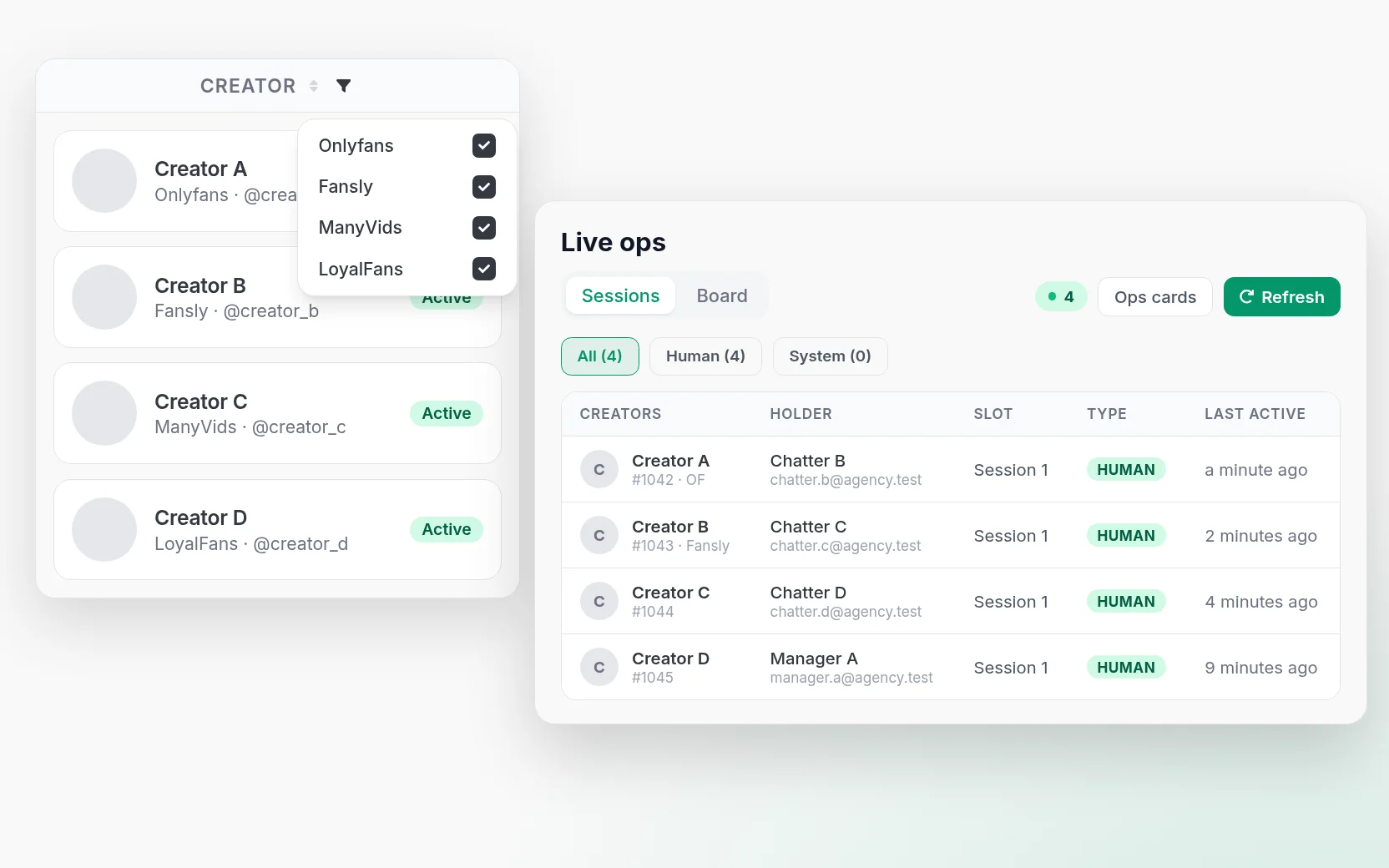
One roster for every platform
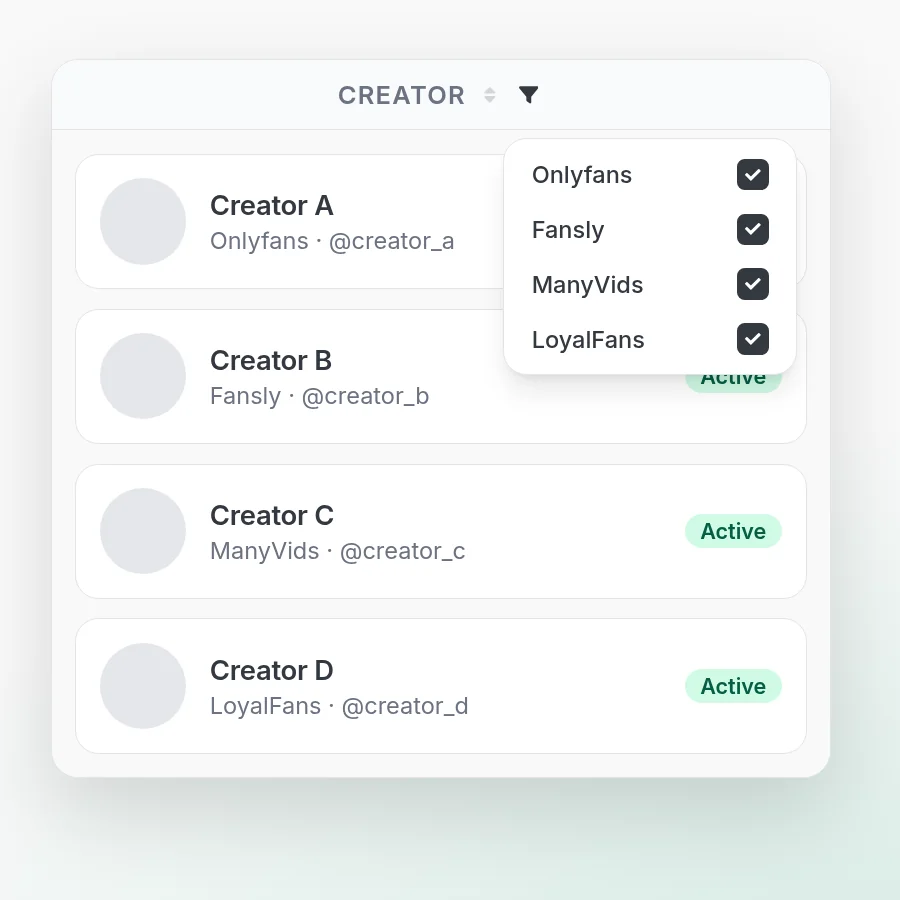
Agencies rarely run on just one platform. CreatorXOne puts OnlyFans, Fansly, ManyVids and LoyalFans creators in one roster, with one team and one bill.
- OnlyFans and Fansly: live chat, vault, metrics and team tools in the same workspace.
- ManyVids: on the same roster, with earnings in Metrics and Analytics.
- LoyalFans: login, verify and live sessions from desktop app v1.3.5. LoyalFans stats are in progress.
- One filter: Metrics and Analytics can filter earnings by platform (OnlyFans, Fansly and ManyVids today).
OnlyFans CRM · Fansly CRM · ManyVids CRM · LoyalFans CRM
Need another platform?
Unlimited employees, no seat fee
You pay per creator, not per seat, so adding chatters does not add to the software bill. Every employee gets their own login and role, so nobody shares a creator password.
- Role-based permissions, shifts and payroll included.
- Keep chatters out of OnlyFans earnings, statements, payouts, banking and settings pages, and block uploads.
- Require 2FA for the whole agency and enforce 12-character passwords checked against known breached passwords.
- Creator logins are stored encrypted. You can also skip storing the password: sign in on desktop and only the session is saved.
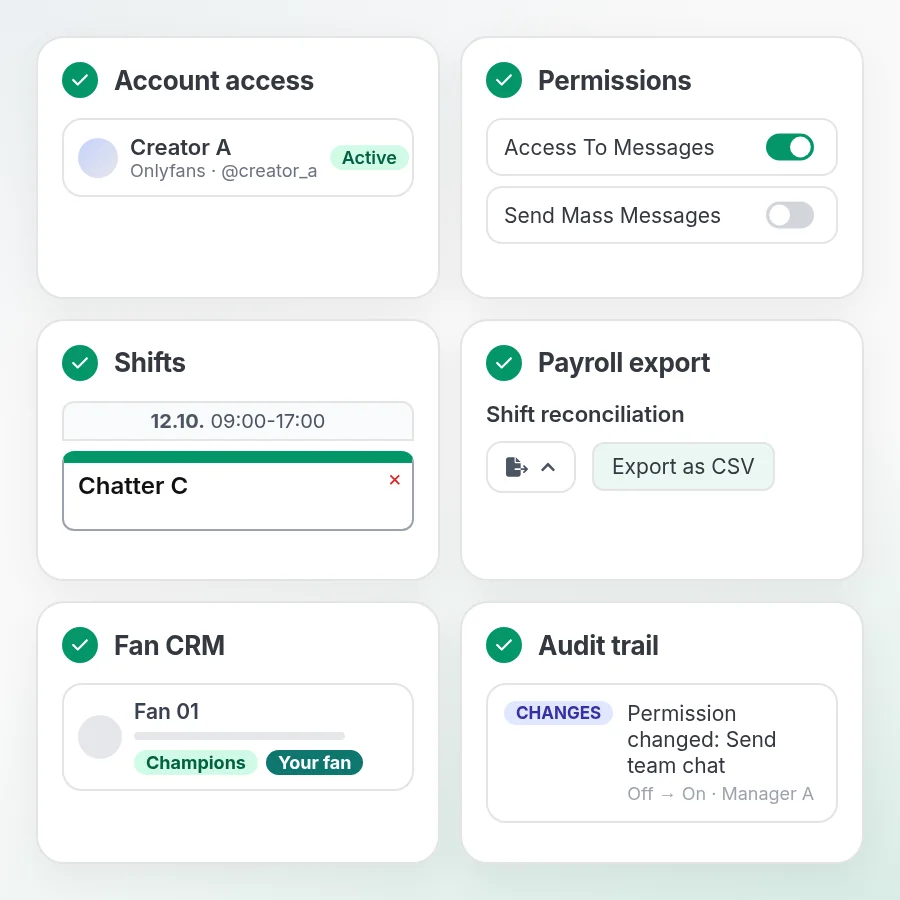
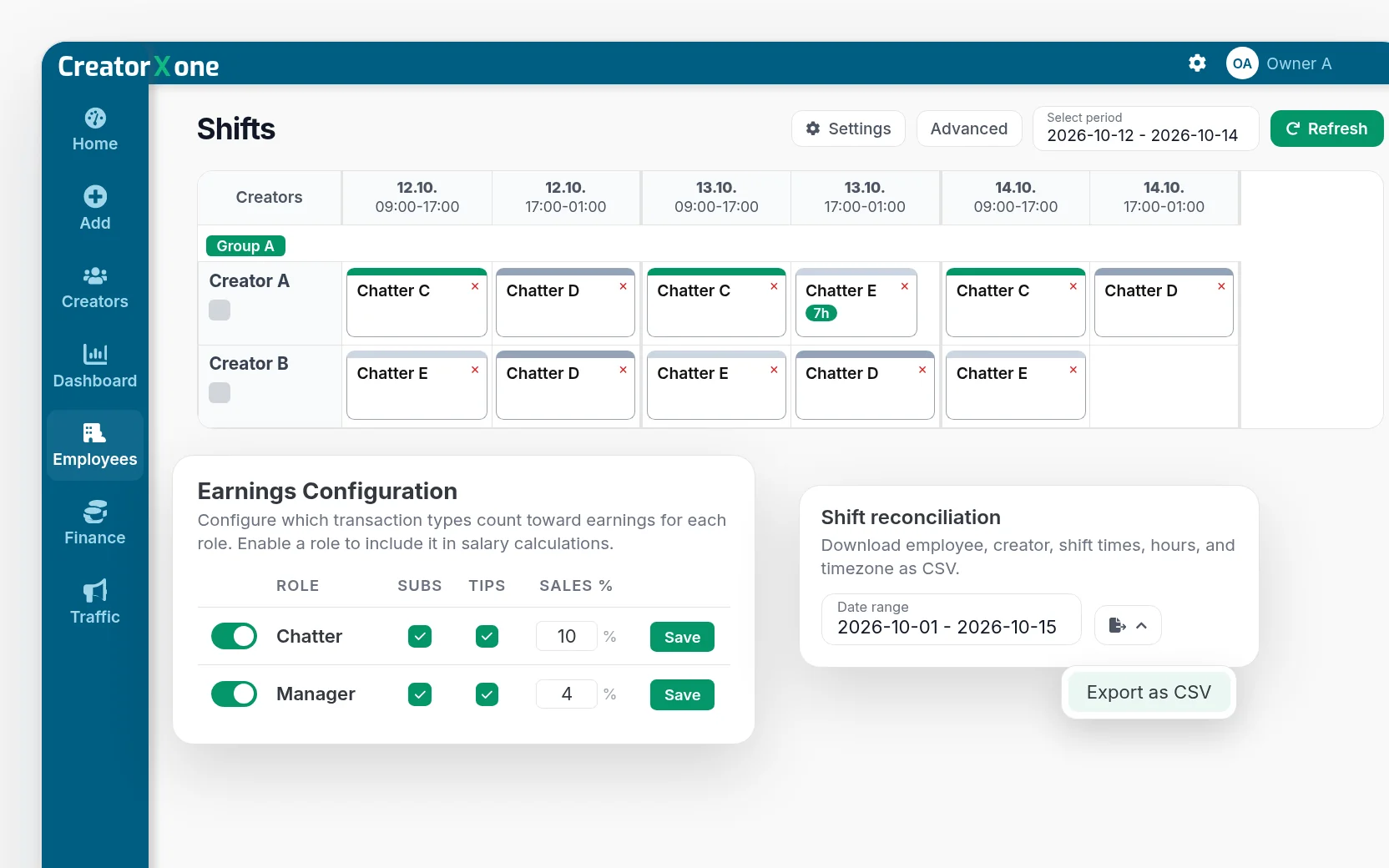
Shifts, commission and payroll that match the sales
- Shift planning by creator. Hours come from scheduled shifts, or from time spent in creator sessions in auto mode.
- Sales attribution. Sales and tips are credited to the chatter who handled the fan: fan owner first, then last outbound message, session and shift. Anything left over goes to a review queue for managers to confirm before payroll.
- Commission and salary calculations from hours and credited sales.
- Daily Challenge (optional): a small extra on shift earnings for hitting net-sales tiers.
- Chatter scorecard , Top employees board and team performance table.
- CSV exports for shift reconciliation, chatter pay, creator metrics and billing statements.
LoginX: creators log in from their phone
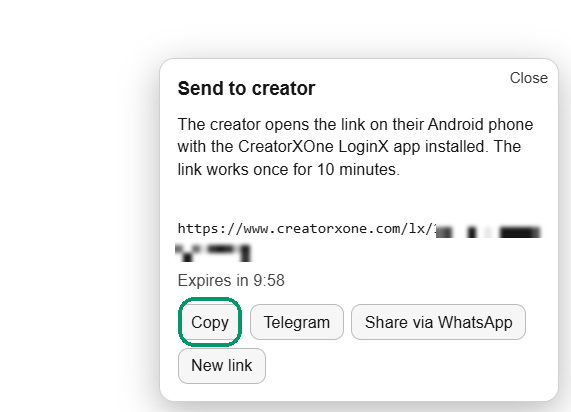
Send the creator a one-time link. They open it in the LoginX app on their Android phone and finish OnlyFans identity verification (face check) there, while your desktop shows the session continued on their device. No shared passwords.
Ops / Command: see what needs a person
Ops cards give managers a board of open follow-ups: quiet high-value fans, revenue dips and idle high-value fans. Assign a chatter, snooze, save a draft, notify or mark done. CreatorXOne never sends the draft. Your chatter does.
Live Sessions shows who holds each creator account right now and flags any session that needs a re-login.
Team chat inside the session
Direct messages and named groups for your staff. A new message pops up as a small card inside the creator session, so chatters can answer a manager without leaving the inbox. Messages about a creator can open that creator's session in one click.
Audit Center: one record of who did what
One feed for changes, access, sessions, chat, vault downloads and security, with CSV export. Chat logs also list messages chatters unsent. Vault downloads made with the CreatorXOne download button are logged.
AI that drafts, people send
- Suggested replies draft a reply from the conversation, in the language of the fan's latest message. Analyze My Style learns how the creator writes so drafts sound like them. A person reviews and sends. CreatorXOne never auto-sends fan messages.
- AI translation for fan messages and replies.
- AI support chatBETA Click the question mark and ask how something works. Answers come from the Help Center and link the article they used. Telegram and email to a real person stay in the same panel.
AI is optional and billed in EUR: Standard €15 / 4M tokens, Pro €29 / 12M tokens. See pricing
More in CreatorXOne
Every tool from the live homepage, grouped. Labels are the live feature names.
Team and operations
- Ask a managerFrom an empty session slot
- Bulk Creator OnboardingAdd creators & employees quickly
- Unlimited SessionsScale with your team
- Multiple Payment OptionsPay via crypto, card, or bank transfer
Chatting tools · OnlyFans & Fansly
- Fansly AI barStays in the composer
- Fansly inbox split & online presenceWorks with other Fansly extensions
- Mass message to online fans BETAOnlyFans, from the live chat
- Tracking LinksOnlyFans & Fansly tracking
- Spender FlagsIdentify high-spending fans
Fan insight
- Fan memoryFills blank fields
- AI Fan AnalyticsAI-generated fan insights
- Fan NotesKeep fan info handy
Content and safety
- Vault TagsTrack sent & purchased content
- Vault NotesDetailed content documentation
- Restricted WordsMaintain compliance & quality control
- Safe for WorkProfessional environment compliance
- Emoji SupportMake chats expressive
Simple pricing
€1 per creator per day for OnlyFans and Fansly and €0.33 for ManyVids and LoyalFans, billed every day a creator is connected and not archived.
- You are billed every day a creator is connected and not archived. Archive a creator you are not using and billing for that creator stops from the next day.
- Unlimited employees, no per-seat fee.
- Optional HTTPS proxy: €0.03 per creator per day.
- Pay via crypto, card, or bank transfer.
- 14-day trial, no credit card.
More pricing details
- There are no pricing plans now — it is basic plan plus add-ons. We will be moving to subscription plans later.
- Choose different plans for each creator inside the same agency.
- Change pricing plans anytime — even mid-month — with zero penalties.
- Scale up, scale down, or switch plans whenever you want.
14-day trial, no credit card.
Why switch
Here is what CreatorXOne does differently:
Comparing a specific tool? Infloww alternative · OnlyMonster alternative · Supercreator alternative · CreatorHero alternative · OnlyFans agency software guide
Honest limits: AI is suggest-only by design. Chat Guard warns but does not block yet. LoyalFans earnings and stats are still in progress. Public list prices are in EUR only.
| CreatorXOne | |
| Platforms on one roster | OnlyFans, Fansly, ManyVids, LoyalFans |
| Employee seats | Unlimited, no per-seat fee |
| Billing | Per creator per day. Billed every day a creator is connected and not archived |
| Shifts, commission, payroll | Built in, with CSV export |
| Owner oversight | Audit Center with CSV export |
| AI | Optional. Drafts only, a person always sends |
| Trial | 14 days, no credit card |
FAQ
What is CreatorXOne?
A CRM for agencies that manage creators on OnlyFans, Fansly, ManyVids and LoyalFans. It covers the creator roster, chatters, shifts, commission, fan tools and an audit trail in one dashboard, plus a desktop app for live sessions.
Which platforms are supported?
OnlyFans and Fansly are fully supported. ManyVids is supported, with earnings in Metrics and Analytics. LoyalFans is supported from desktop app v1.3.5 for login, verify and sessions. LoyalFans stats are in progress.
How much does it cost?
€1 per creator per day for OnlyFans and Fansly and €0.33 for ManyVids and LoyalFans, billed every day a creator is connected and not archived. Archiving pauses billing from the next day. Employees are unlimited. AI and proxy are optional add-ons.
Do I pay for each chatter?
No. There is no per-seat fee. Add as many employees as you need.
Does the AI send messages to fans?
No. Suggested replies, chat scripts and Ops cards are drafts. A person reviews and sends every message.
Can chatters work without seeing earnings or passwords?
Yes. Permissions can keep chatters out of OnlyFans earnings, statements, payouts, banking and settings pages. You can also sign in on desktop so only the session is saved, not the password.
Is there a free trial?
Yes. 14-day trial, no credit card.
Which languages does the app support?
13: Arabic, Chinese, German, English, Spanish, French, Dutch, Portuguese, Romanian, Russian, Swedish, Slovak and Tagalog.
Who is behind CreatorXOne?
Digital Aura, s.r.o.
More questions
Can I pay with Crypto?
We accept USDT and USDC. Please register and reach out to us requesting to pay with crypto.
Does CreatorXOne have a desktop application?
Yes. CreatorXOne offers a native desktop application for Windows (10 or later), macOS (Big Sur 11 or later), and Linux (Ubuntu 20.04 LTS or later). The desktop app provides dedicated local performance, offline-capable data viewing, and deeper OS integration for agencies that need persistent background operation.
Can CreatorXOne track fan spending and identify high-value fans?
Yes. CreatorXOne includes spender flags that automatically identify and highlight your top-spending fans so your team can prioritize high-value relationships. Combined with AI fan notes and chat summaries, you always know the context behind each fan interaction.
What is a tracking link and why should I use one?
A tracking link is a unique URL you create for promotional campaigns across social media, Reddit, or other platforms. CreatorXOne generates tracking links for both OnlyFans and Fansly so you can measure exactly which campaign, post, or platform drives the most subscribers and revenue — without any third-party analytics tools.
Is there a minimum number of creators required to use CreatorXOne?
No. CreatorXOne works for solo creators managing a single account as well as large agencies with hundreds of creators. The per-creator, per-day pricing scales to any size. There is no minimum creator count.
How do I add a creator after I sign up?
Open Creators and add an OnlyFans, Fansly, ManyVids or LoyalFans account (username or profile link). Then install the desktop app and log into that creator. For OnlyFans, Fansly and ManyVids, numbers usually show within 30 minutes of the first login; LoyalFans stats are in progress. Step-by-step: creatorxone.gitbook.io/creatorxone/add-creators
Run every creator and every chatter from one place
Connect your first creator, invite your team and plan the first shift today. No seat fees, no credit card.